Seeker Connect: One-Tap Solana Wallet Connection for Mobile dApps

Introducing Seeker Connect: a dApp-side SDK that gives your users a named, branded, one-tap connection to the Seeker wallet from mobile web, PWA’s and native apps. It ships today with full documentation, agent skills, a video integration guide, and working example apps.
Here’s everything you need to start building:
Developer Documentation:
https://docs.solanamobile.com/solana-mobile-stack/seeker-connectVideo Developer Guide: https://youtu.be/SJSPGc-2Gwo
What Is Seeker Connect?
Seeker Connect is a developer SDK for connecting Solana mobile web apps to the Seeker wallet in a single tap. It is built on top of the latest Mobile Wallet Adapter (MWA) libraries, and it ships two connection methods:
Standard wallet listing that appears in the wallet picker you already have

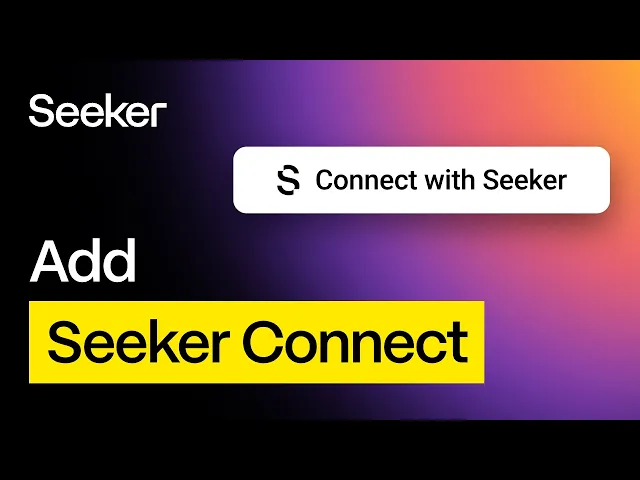
Branded "Connect with Seeker" button that skips the picker entirely

The Problem It Solves
Connecting through Mobile Wallet Adapter today means your user taps a generic "Mobile Wallet Adapter" option, then picks their wallet from a second screen. This requires two taps from users, and places a protocol name where a wallet name should be.
Seeker Connect collapses that into one tap on a button the user recognizes, without giving up compatibility with any other wallet.
Seeker Connect runs on Mobile Wallet Adapter’s brand new transport over Nostr relays. Your dApp and the wallet meet on a Nostr relay that Solana Mobile operates, instead of connecting over a local websocket connection directly to the wallet. In standard MWA, Chromium browsers like Chrome, Brave, and Edge ask the user for permission to access local devices before the dApp can reach the wallet. If the user denies that prompt, the connection fails, and getting it back means finding the right setting in the browser's site permissions. With Seeker Connect, the user taps connect, approves in their wallet, and lands back in the dApp with no browser prompt in between. This works on all chromium based browsers while avoiding the UX problems presented by the local websocket connections normally used by MWA.
How Seeker Connect Works
Seeker Connect sits on top of the official MWA libraries and uses the MWA specification's existing endpoint-specific URI mechanism to target the device's own wallet directly and improve UX.
Other wallets keep working exactly as they do now so your existing MWA integration does not break. Session traffic use Nostr relays that Solana Mobile operates, which means there is no infrastructure to stand up and nothing for you to host.
Option 1: The Branded Connect Button
Drop in the "Connect with Seeker" button and skip the picker entirely. This is the opinionated, one-tap path, and it is the one that converts. There is a sign-in variant for Sign-In With Solana flows, it themes itself to light or dark pages automatically, and it renders isolated from your page styles so it looks the same in every app that ships it.
Option 2: The Standard Wallet Listing
Register Seeker Connect and it appears in your existing wallet picker with its own name and icon. If your app uses Wallet Standard — which covers most of the React and web stack — this is a single function call at startup and nothing else in your app changes. It is the lowest-lift way to adopt.
What the SDK Handles For You
Seeker Connect takes care of the parts of mobile wallet integration that are easy to get wrong.
Sessions persist across reloads without launching the wallet. MWA sessions are per-interaction by design, so continuity comes from the auth token issued at authorization. The SDK caches that token, which means a returning user lands in your app already connected and the wallet never flashes on screen. Disconnect works in reverse and forgets the token locally rather than launching the wallet just to say goodbye.
The connection UI is owned end-to-end. The progress overlay and error dialogs shown during a connection ship with the SDK, so the interaction looks and feels like one deliberate flow to users.
Failures come back typed. There are distinct cases for a user declining in the wallet, a user dismissing the sheet, and a relay or association problem, so you can retry the ones worth retrying and stop showing error states for choices the user made deliberately.
The full signing surface is supported. Sign message, sign transaction, sign and send, and SIWS all work, with transaction capabilities reported by the connected wallet rather than assumed.
What's in the Documentation
The new Seeker Connect docs section at https://docs.solanamobile.com/solana-mobile-stack/seeker-connect covers:
Integrating the standard wallet listing
Embedding and configuring the branded connect button
Relay configuration
Session persistence and reconnection
Error handling reference
Migration guidance for apps already on Mobile Wallet Adapter
If you would rather watch someone do it first, check out Beeman’s developer video walkthrough here.
Frequently Asked Questions
Does Seeker Connect replace Mobile Wallet Adapter? No. It is an opinionated layer on top of the official MWA libraries and uses the MWA spec's existing mechanisms. MWA remains the protocol, and Seeker Connect is a UX layer over it. Seeker Connect is built on our new relay architecture, which was recently added to MWA. From a user perspective, Seeker Connect replaces MWA references in the UI.
Will my app still work with other Solana wallets? Yes. Adopting Seeker Connect does not remove or degrade support for any other wallet. Most apps will run the branded button alongside their existing picker.
Do I need to run any infrastructure? No. Solana Mobile operates the Nostr relays that handle session traffic. But you can if you want! MWA (and by extension Seeker Connect) is designed to be decentralized — it does not rely on any one centralized party to operate.
Which platforms are supported today? Native Android, React Native, and Mobile Web.
How long does integration take? If your app already uses Wallet Standard, adding the wallet listing is a single registration call at startup and requires no other changes to your app. The step-by-step integration guide is in the docs here.
Does it work with WalletConnect or Privy? Integration samples for both are on the roadmap but are not yet implemented. Apps using a standard wallet picker will see Seeker Connect listed today.
Start Building
Read the docs on the Solana Mobile Docs site, watch the developer guide on youtube, and grab the SDK and example dApp on github. Questions and integration help are in the Solana Mobile Discord and Telegram.
If you are already shipping on Seeker, the wallet listing is one of the smallest changes on your backlog with a direct effect on your connection funnel.
New to building on Solana Mobile? Start with the developer documentation at docs.solanamobile.com, or apply for Solana Mobile Builder Grants to get funded, get users, and get your app in front of 100,000+ active Seeker device owners.
Happy Shipping 🫡